1
It finds you
The reminder lands right beside your pointer, on the screen you’re actually using. No notification, no banner in the corner, nothing to dismiss.

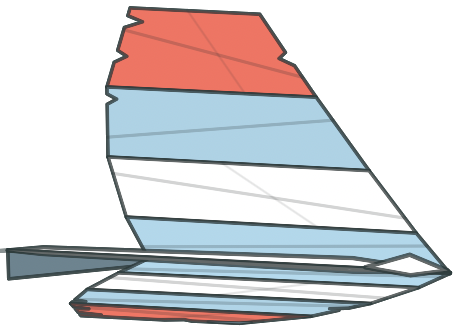
When a meeting is close, a paper plane brings the reminder across your screen. Hold it to join the call. Timers work the same way.
macOS 15+ · $4.99, paid once · No account
1
The reminder lands right beside your pointer, on the screen you’re actually using. No notification, no banner in the corner, nothing to dismiss.
2
The link opens without you aiming at anything. Keep pressing and the event goes quiet for good.
3
Your next meetings and quick timers sit in the menu bar, counting down. Join one early without waiting for its reminder, or skip its alerts so it stays quiet.
No account, no analytics, no ads, and no network permission at all. There is no server for Last Call to call. It never asks for your camera, your microphone or your screen either.
For never being the one who joins late. Last Call sits in your menu bar, watches your next meeting and your quick timers, and counts them down so you don’t have to keep checking the clock yourself.
When one is close, the reminder doesn’t wait in a corner for you to notice it. A paper plane flies it across the screen you’re actually using and parks it next to your pointer. Press and hold, and it opens the meeting link for you, so you never go hunting through tabs for the right URL.
It also knows when to stay out of the way. If a conferencing app is already in front of you, or Presentation Mode is on, it steps aside instead of landing on top of your screen share.
It is a reminder, not a calendar. It never edits your events, and everything happens on your Mac: no account, no analytics, no network access at all.
Yes. Quick timers work on their own. Calendar access is optional, and all it does is tell Last Call what’s next.
No. If a conferencing app is already in front of you, it steps aside. Silent mode and a Focus filter give you the rest of the control.
Yes. Pick as many moments as you like: twenty minutes out, five, one, or the moment it starts. They apply to every event and every timer.
Yes. Half an hour, an hour, or until you switch it back on. It also follows Reduce Motion, Reduce Transparency and Increase Contrast.
No, and there never will be. One purchase, no account, no in-app purchases.
About the price of a coffee. $4.99 on the Mac App Store and it’s yours: no plan, no tier with half the app, nothing to renew.
$4.99
one-time purchase · requires macOS 15